DeepSeek Harness: what it is, how it works and what to check before you use it
DeepSeek Harness is an open source AI agent, under the MIT licence, that DeepSeek released in August 2026 and that you can install on Windows and Mac since late September. The software is free, but the model you connect decides what it costs and where your data goes.
What is DeepSeek Harness?
DeepSeek Harness is the open source AI agent from DeepSeek. It connects a language model to your files, the terminal and other tools so the model can carry out multi-step tasks instead of only answering questions. It uses the MIT licence, runs on your own machine and is still a preview.
- Harness
- The software around the model. It gives the model tools, stores the session, applies permissions and runs the loop of thinking, acting and checking.
- DeepSeek Harness
- The harness from DeepSeek. It reads repositories, edits files, runs commands, searches, keeps a plan and hands work to subagents. Its command is
dsh.
A simple way to see it: the model brings the thinking and the harness brings the hands. Until August, DeepSeek was known for its models. With Harness, it now also gives you the hands, and anyone can read how they work.
When did it come out, and what is new in v0.2?
DeepSeek released Harness on 13 August 2026 as a developer preview, the same day it made its V4-Pro model generally available. On 29 September it published the v0.2 preview, with installers for macOS and Windows. That is 47 days from the first preview to a desktop app.
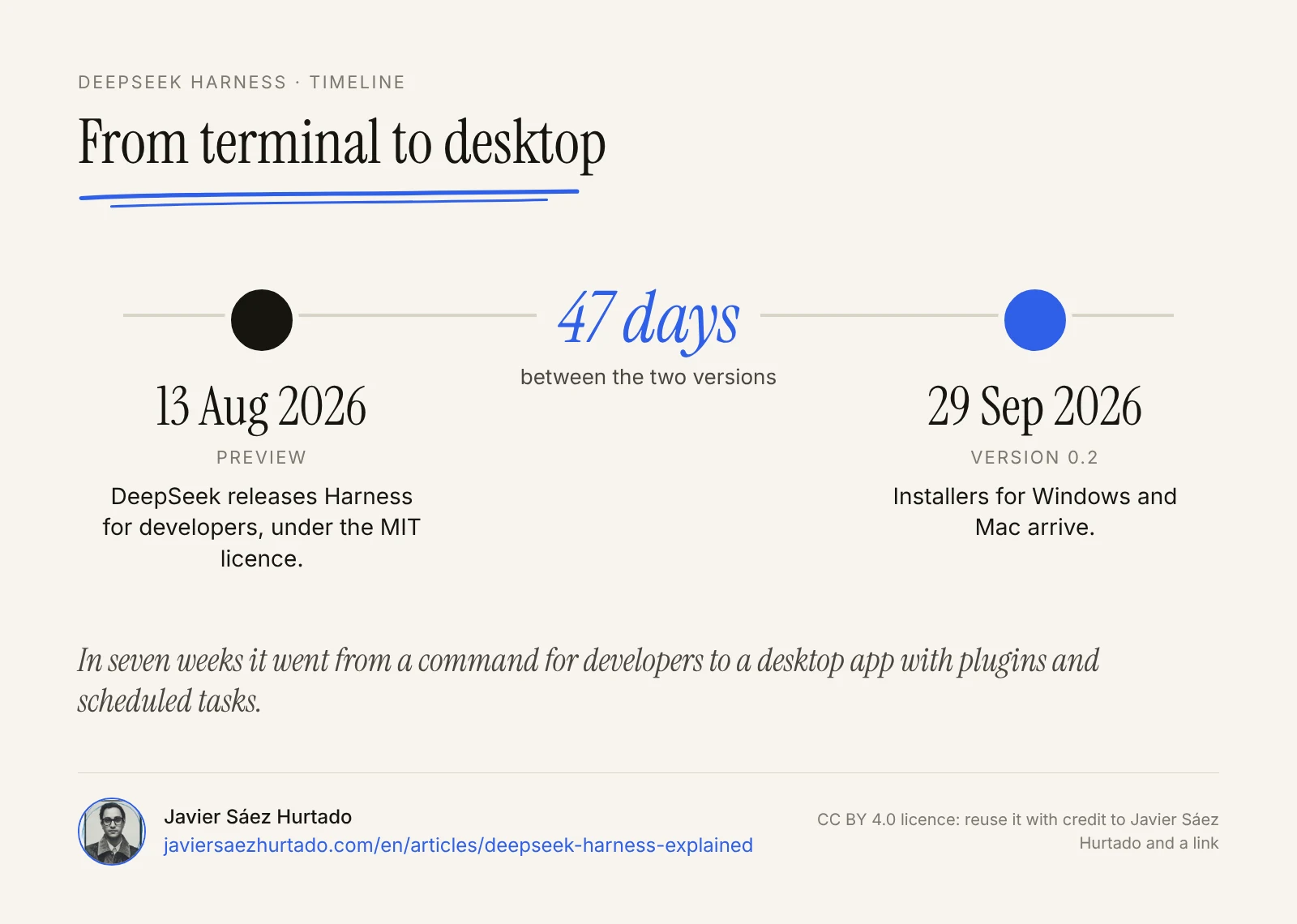
The first version was built for developers. You started it from the terminal and it opened a web interface on your own computer. The September updates came in two steps, according to the release notes in the official repository:
- v0.1.7 (24 September). Scheduled tasks that survive restarts and can repeat as often as once a minute, a page to install and manage plugins, previews of Word, Excel, PowerPoint and CSV files, a panel for agent teams and, as experiments, browser and computer control.
- v0.2 (29 September). The macOS and Windows desktop apps bundle the plugin manager, so you do not need to install Node separately. It also adds a model picker with search and an experimental mode that lets the agent keep working if you do not answer a question in time.
DeepSeek Harness, from August to September
Based on the official release notes, checked on 2 October 2026
| Preview (13 Aug) | v0.1.7 and v0.2 (24 and 29 Sep) | |
|---|---|---|
| Install | Terminal command or source code | Installers for macOS and Windows |
| Interface | Web, on your own machine | Web and desktop app |
| Plugins | Through configuration | A page to install and manage them |
| Automations | No | Scheduled tasks, up to once a minute |
| Browser and computer | No | Experimental |
| Office files | No | Previews of Word, Excel, PowerPoint and CSV |
| Status | Developer preview | Still a preview |
How does DeepSeek Harness work?
DeepSeek Harness is built on one idea: everything is a plugin. Models, tools, skills, sessions, the sandbox, storage, scheduling and even the interface are parts you can swap. It runs on Cordis, a framework for putting plugins together.
According to MarkTechPost, it has four working modes. Standard is the full coding agent. Code runs multi-step TypeScript operations. Minimal has only two tools and is meant for testing models. Creator is for inspecting the system and building presets. DeepSeek used the minimal mode to test its own V4-Pro model, as its change log of 13 August notes.
Two technical details matter most for a company:
- A session log you cannot rewrite. Each session is stored as a log that only grows. You can resume it, branch it, search it or replay it, and you keep a record of what the agent did.
- A model you can change. It supports DeepSeek, Anthropic, OpenAI, AWS Bedrock, Google Vertex, Azure and services compatible with the OpenAI API, and you can switch provider without a restart.
If you read my guide to skills, plugins and tools in OpenAI agents, the words are the same. The difference is that here the whole system is open and runs on your machine.
What can it touch? The three sandbox modes
DeepSeek Harness limits what the agent can touch with three sandbox modes. In the example setup in the documentation, every session starts with write access limited to the workspace folder. To move to a wider mode, the agent has to give a reason and you see one approval prompt.
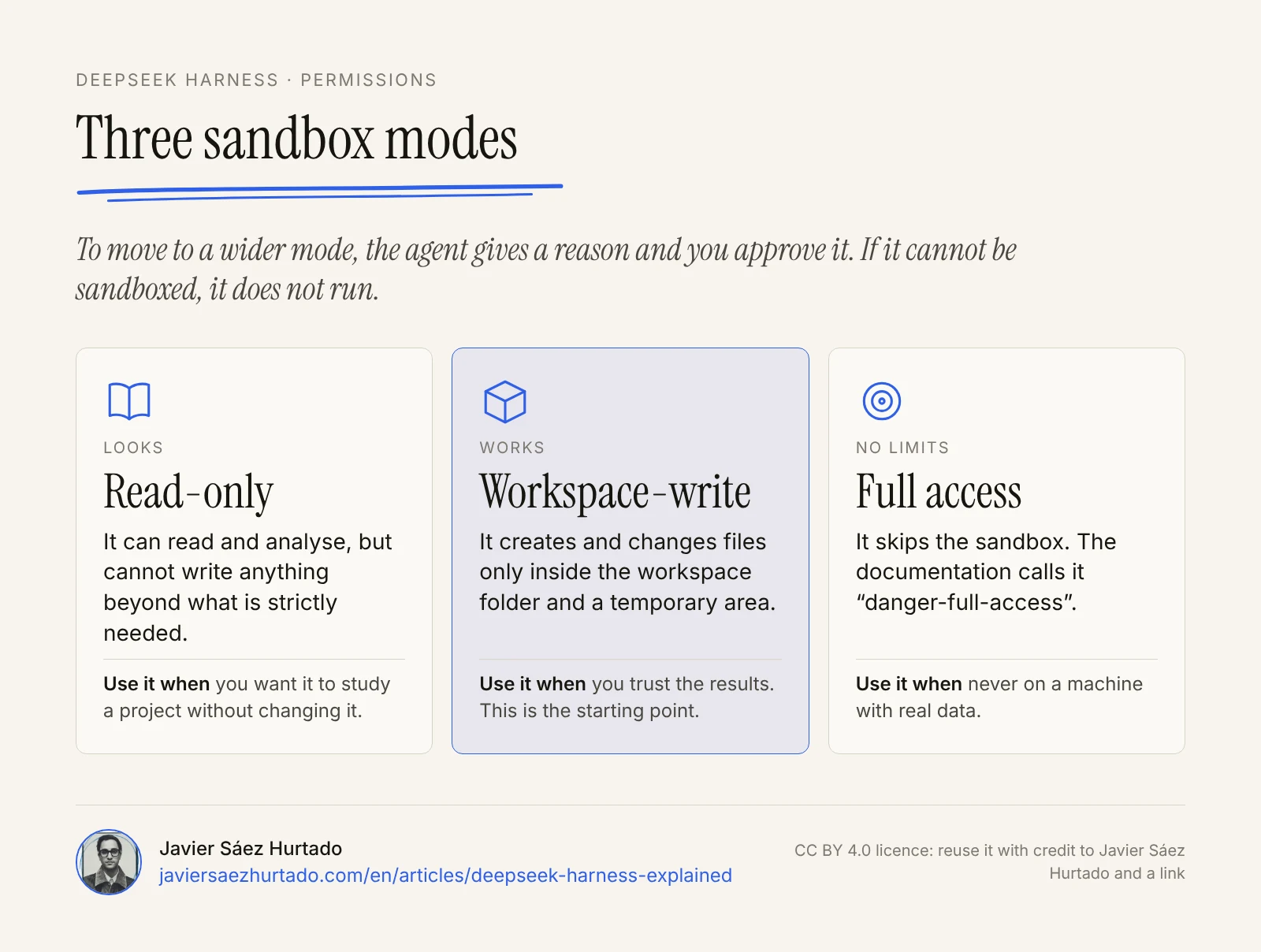
- Read-only. It cannot write anything beyond what is strictly needed. Use it to let the agent study a project without changing it.
- Workspace-write. It can create and change files inside the workspace folder and a temporary area. This is a sensible place to start.
- Full access. It skips the sandbox. The documentation calls it “danger-full-access”, and the name says it all.
One behaviour I like a lot: if the system cannot enforce the mode you asked for, the command fails instead of running without protection. And since v0.1.7, the agent can only delete files in folders you have allowed. These are careful design choices, but they do not replace a person checking what matters.
How much does DeepSeek Harness cost?
DeepSeek Harness is free. The code is open source and you can use, change and share it under the MIT licence. What costs money is the model behind it, which you pay for by use with the provider you choose.
If you use the DeepSeek API, these are its prices per million tokens as of 2 October 2026, without cache:
| Model | Input (off-peak / peak) | Output (off-peak / peak) |
|---|---|---|
| V4.1 Flash | $0.15 / $0.30 | $0.60 / $1.20 |
| V4-Pro | $0.66 / $1.32 | $1.98 / $3.96 |
Peak hours are 01:00 to 04:00 and 06:00 to 10:00 UTC, Monday to Friday. In Central European Summer Time that is the middle of the night and 8:00 to 12:00, right in the working morning. After the clocks change on 25 October it becomes 7:00 to 11:00. For a European team, running heavy jobs in the afternoon costs half as much.
What happens to your data in Europe?
DeepSeek Harness runs on your machine, so the software itself does not send your files anywhere. What the agent reads and writes goes to the provider of the model you connect, and that is the real decision.
If you connect the DeepSeek API, its privacy policy, updated on 10 February 2026, says it collects, processes and stores personal data in the People’s Republic of China. For users in the European Economic Area, Switzerland and the UK it has a named privacy representative and lists the GDPR rights.
The European context matters. In January 2025 the Italian data protection authority blocked the DeepSeek chat app, and in June 2025 the Berlin authority asked Apple and Google to remove it from their stores in Germany. That was about the consumer app, not Harness, but it shows how European regulators see data going to China.
For a company in Spain, Andorra or anywhere in the EU, my reading is simple:
- To test with public code or sample data, the DeepSeek API is cheap and good enough.
- To work with customer, personal or confidential data, connect Harness to a provider that processes data in the EU and signs a data processing agreement, or to a model on your own servers through a compatible API.
- In every case, the company is still the data controller, not the agent.
Who is it for, and who should wait?
DeepSeek Harness makes sense today for technical teams that want an open, auditable agent and do not want to depend on a single provider. It is a poor fit if you need a stable, closed tool for production tomorrow.
- It makes sense if you want to control the harness, switch models by cost or task, or add your own tools as plugins.
- It makes sense if you care about traceability: the session log lets you check what the agent did and when.
- Wait if you need stability. The repository warns, in capital letters, that there will be breaking changes.
- Wait if nobody on the team can review permissions, plugins and settings. An open agent gives you more control and also more responsibility.
If you are comparing agents, my piece on Grok Bot vs OpenAI dots covers the always-on agents from xAI and OpenAI, which run in the cloud instead of on your machine. I also wrote about another open source agent and its risks in what is OpenClaw (in Spanish).
My view: where I would use it and where I would not
I think it is good news that one of the large model labs publishes its harness under the MIT licence, with a sandbox that fails closed. It pushes others to be more open about how their agents work.
I would use it for internal tasks that can be undone: studying a repository, preparing drafts, sorting test files or building reports that I check before they go out. I would start in read-only mode, move to workspace-write once I trusted the results, and I would not turn on full access on a machine with real data.
As with any agent, I would not let it speak to other people on my behalf or touch high-value accounts. Scheduled tasks that repeat every minute are useful, but so is a mistake that repeats every minute. It is the same line I hold in my essay on what you would let an agent do without looking (in Spanish): anything you cannot undo needs a person in front of it.
Key takeaways
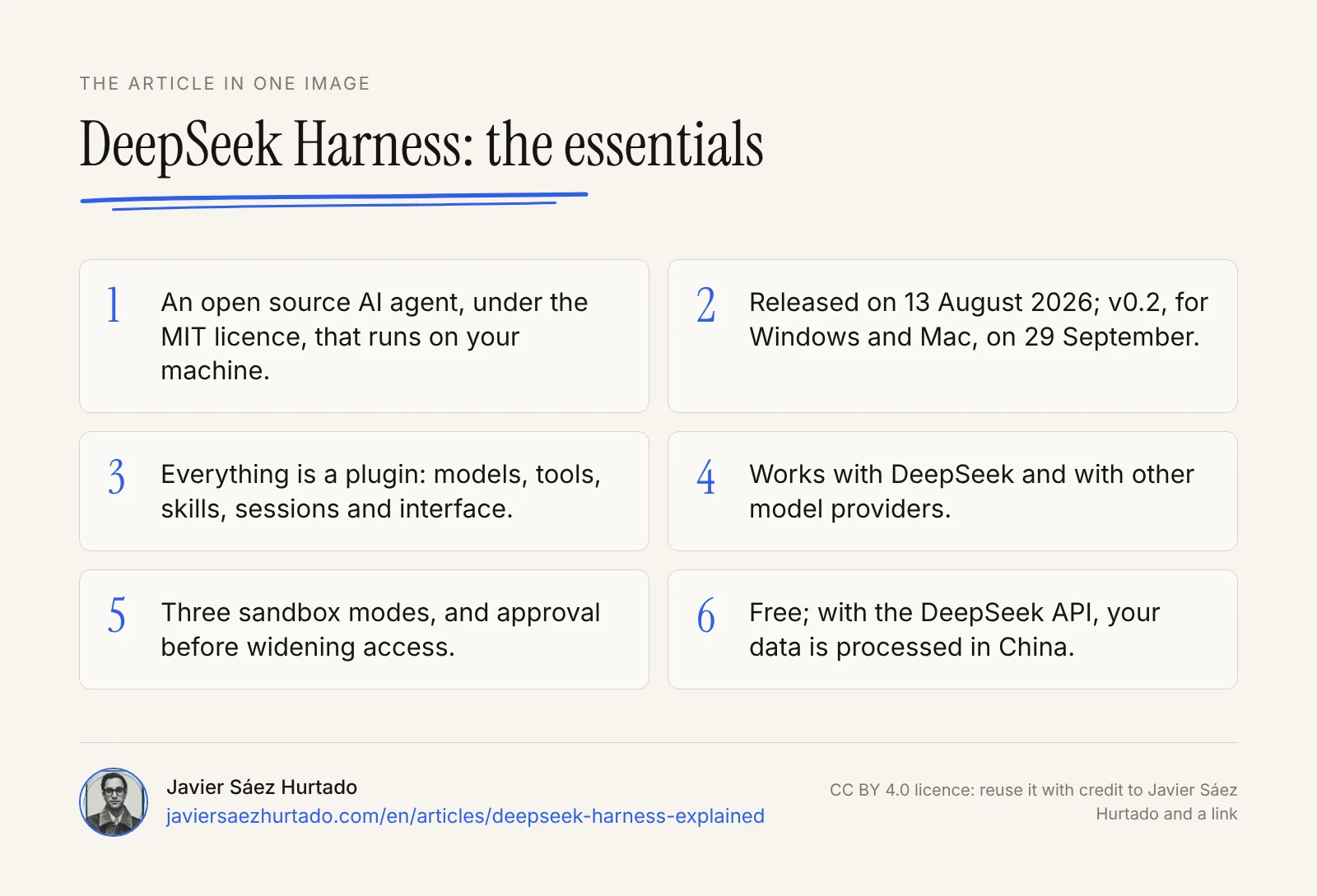
- DeepSeek Harness is an open source AI agent, under the MIT licence, that runs on your machine.
- It came out on 13 August 2026, and v0.2, with Windows and Mac apps, on 29 September.
- Everything is a plugin, and it works with DeepSeek and with other providers.
- It has three sandbox modes and asks for approval before widening access.
- The software is free; with the DeepSeek API, your data is processed in China.
The article in one image
Frequently asked questions
What is DeepSeek Harness?
It is the open source agent harness from DeepSeek: the software that connects a language model to your files, the terminal, the browser and other tools so it can work on multi-step tasks. It uses the MIT licence and is in developer preview.
Is DeepSeek Harness free?
The software is: it is open source under the MIT licence. You pay for the model you use. On the DeepSeek API, as of 2 October 2026, V4-Pro costs 0.66 dollars per million input tokens and 1.98 per million output tokens off-peak, and twice that at peak times.
Where is DeepSeek Harness on GitHub and how do I install it?
The official repository is github.com/deepseek-ai/deepseek-harness. You can start the web interface with npx @deepseek-ai/dsh web, build it from source or, since v0.2, use the installers for macOS and Windows.
Is there a DeepSeek Harness desktop app for Windows and Mac?
Yes. The v0.2 preview, released on 29 September 2026, includes macOS and Windows installers with a plugin manager that does not need a separate Node install. It also runs on Linux and in the browser.
Can I use DeepSeek Harness with other models?
Yes. Besides DeepSeek, it supports Anthropic, OpenAI, AWS Bedrock, Google Vertex, Azure and services compatible with the OpenAI API, and you can switch provider in the middle of a session.
Is DeepSeek Harness safe to use at work in Europe?
It depends mostly on the model. The software runs on your machine, but if you connect the DeepSeek API your data is processed in China. It is also a preview with breaking changes, so test it with non-sensitive data and in workspace-write mode first.
Sources
- DeepSeek, official DeepSeek Harness repository (GitHub)
- DeepSeek Harness, v0.1.7 and v0.2.0 release notes (GitHub, 24 and 29 Sep 2026)
- DeepSeek Harness, sandbox documentation (GitHub)
- DeepSeek API Docs, change log (13 Aug and 10 Sep 2026)
- DeepSeek API Docs, models and pricing (checked on 2 Oct 2026)
- DeepSeek, privacy policy (updated on 10 Feb 2026)
- VentureBeat, DeepSeek Harness launches as open source rival (Aug 2026)
- MarkTechPost, DeepSeek AI releases DeepSeek Harness in developer preview (17 Aug 2026)
- Pandaily, DeepSeek Harness v0.2 preview adds desktop installers (Sep 2026)
- PANews, DeepSeek Harness v0.2 preview officially released (29 Sep 2026)
- Techdirt, DeepSeek app blocked in Italy after GDPR complaint (31 Jan 2025)
- TechRadar, DeepSeek faces ban in Germany (Jun 2025)