Inside OpenAI agents: skills, plugins, tools and knowledge
An OpenAI agent is built from parts that now have names of their own: instructions, tools, knowledge, skills, plugins, triggers and controls. This guide explains what each one does, when to use a skill and when a plugin, and how to put them together without losing control.
What is an OpenAI agent?
An OpenAI agent is a language model that is given a goal, instructions and tools to act with, so it can finish a multi-step task without a person telling it each step. OpenAI’s own practical guide sums it up in three parts: model, tools and instructions.
That definition still holds, but in 2026 it is no longer enough. New parts with names of their own have grown around those three: skills, plugins, apps, company knowledge, scheduled tasks, guardrails and approvals. They all combine, and they are easy to mix up. This guide puts them in order.
When I teach agents I use five ingredients: model, instructions, tools, knowledge and triggers. OpenAI has added two layers that change how agents are built: skills, which teach procedures, and controls, which decide how far the agent goes without asking.
How an agent works, step by step
Animation: an agent builds a report in two turns of its loop
- The agent gets a goal, not a list of steps.
- Think: it decides it first needs the sales data.
- Act: it reads the CRM with a tool. Reading needs no permission.
- Observe: it checks the result and asks itself if it is done. Not yet.
- Second turn: it wants to save the report. Writing does need approval.
- A person approves. The agent checks the result and marks the task as done.
- It delivers a draft ready for review, not an email already sent.
What changed at DevDay 2026?
At its DevDay on 29 September 2026, OpenAI announced several changes that go straight to the ingredients in this guide. None of them changes the basics. All of them push the same way: agents that work alone for longer, with more controls.
- dots, always-on agents in ChatGPT. Each dot works on its own cloud computer, runs on GPT-6 Astra and can connect to more than 4,000 apps. Before acting, it reviews actions that could affect your accounts or share information, and some sensitive tasks, such as changing a password, always stay with the person. It is rolling out to Pro and Business Premium in eligible markets; for Pro, the European Economic Area, Switzerland and the UK are excluded for now. I compare it with Grok Bot, the xAI agent, in Grok Bot vs OpenAI dots, and with Meta’s in what Meta Muse is. The model behind dots is covered in GPT-6 Astra explained.
- Plugins get an interface. With extensions, a plugin can have its own place in the ChatGPT sidebar, panels next to the conversation and file viewers.
- Triggers from other apps. With MCP Events, a plugin can start an automation when something happens in a connected app.
- The Agents API can now use a computer, and OpenAI and Amazon announced managed agents in Bedrock built on it.
- Agent Builder does not change: it still shuts down on 30 November 2026.
An agent that never switches off turns this guide’s best practices into daily routine. The longer it works alone, the more two things matter: the list of what it will never do, and the exact point where it asks for permission.
What is the difference between an agent, a skill and a plugin?
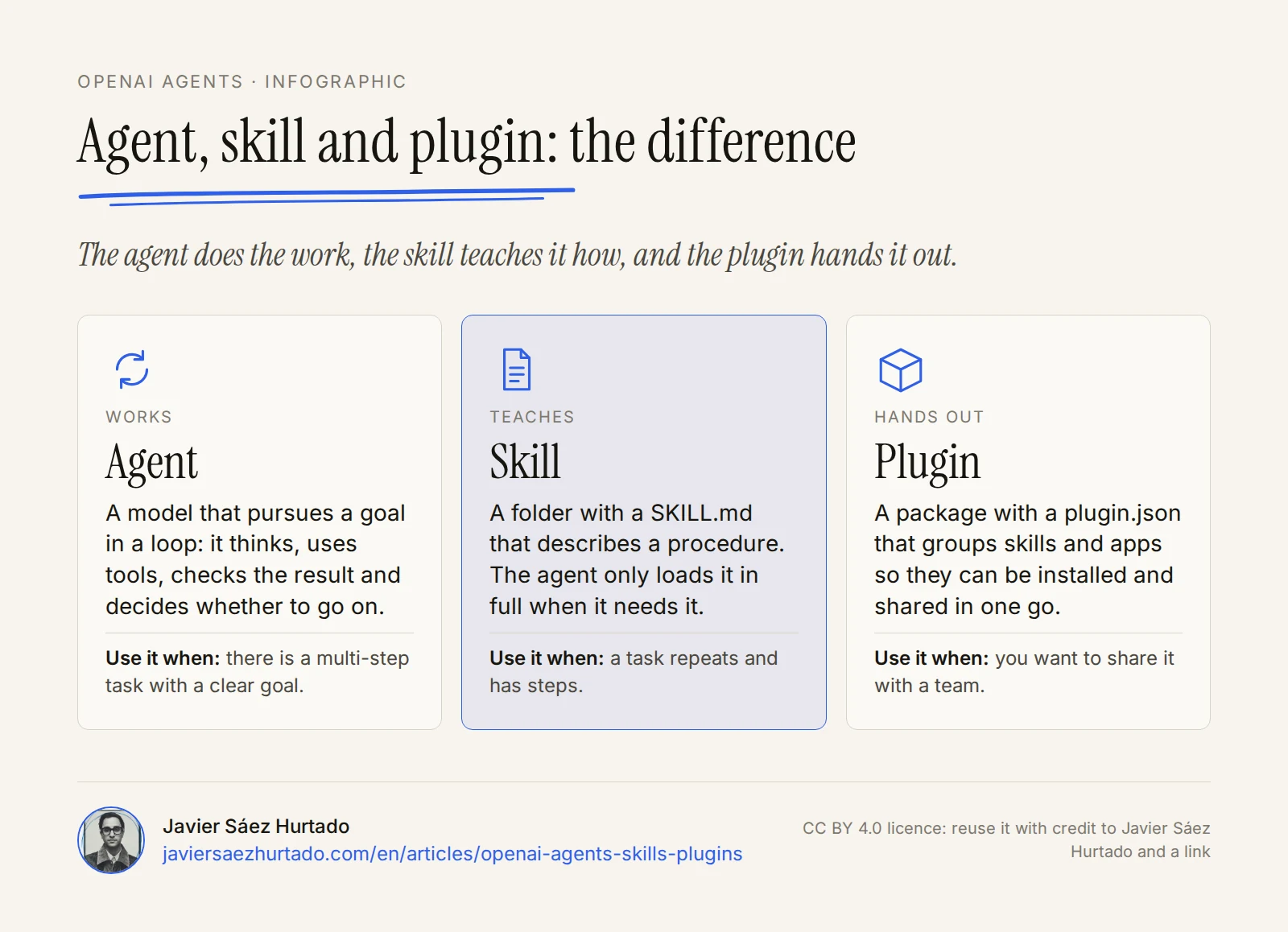
In one sentence: the agent does the work, the skill teaches it how, and the plugin hands out skills and apps so other agents and people can use them.
- Agent
- A model that pursues a goal in a loop: it thinks, uses tools, checks the result and decides whether to go on.
- Skill
- A folder with a SKILL.md that describes a procedure. The agent only loads it in full when it needs it.
- Plugin
- A package with a plugin.json that groups skills and apps so they can be installed and shared in one go.
The seven ingredients of an agent
Anatomy of an OpenAI agent
What each part brings and what it is called in the OpenAI ecosystem
1. Model
The model decides what to do at each step: which tool to call, what to read and when to stop. OpenAI recommends starting with the most capable model to set a quality baseline, and moving to smaller, cheaper models only for the steps where results hold up.
2. Instructions
Instructions are the job description: who the agent is, what it is for, how it should behave and what it must never do. They are always in context, so they should be short and stable. Anything that is a long, occasional procedure works better as a skill.
3. Tools
Tools are what let the agent act. In the API there are three kinds: functions written by the developer, OpenAI’s built-in tools (web search, file search, code interpreter or computer use) and remote MCP servers, the open protocol for connecting a model to outside services. In ChatGPT, those connections are called apps: they link outside accounts and let the agent read from them and, sometimes, write to them.
4. Knowledge
Knowledge is the information the agent looks up instead of carrying it in its instructions. In the API this is file search: you upload documents to a vector store, the model searches by meaning, you can filter by metadata, and the answer comes with citations. ChatGPT Business, Enterprise and Edu also offer company knowledge, which searches the company’s connected sources while respecting the permissions each person already has in them.
5. Skills
A skill is a packaged procedure: a folder with a SKILL.md file that explains how to do a specific task, plus scripts, templates or reference files when needed. It is the newest ingredient and the one most often confused, so it gets its own section below.
6. Triggers
An agent that only acts when someone writes to it is an assistant. Triggers turn it into something that works on its own. ChatGPT supports one-off and recurring tasks (from 3 active tasks on the free plan to 15 on Pro and Enterprise) and, on paid plans, tasks that start from Gmail, Slack or GitHub activity. Since DevDay 2026, plugins can also start automations when something happens in a connected app, through MCP Events. In the API, background mode lets you start long jobs and collect the result later.
7. Controls
Controls set how far the agent goes without asking. There are three levels:
- Guardrails: automatic checks on input, output or tool use that can stop a run.
- Approvals: a tool marked with
needs_approvalin the Agents SDK, or an MCP server set withrequire_approval, pauses the agent until a person approves or rejects the action. - Allowed tools: with
allowed_toolsthe agent only sees the tools from a server that you authorise, not all of them.
What is a skill and how does it work?
A skill is a folder with a SKILL.md file that contains, at minimum, a name and a description, followed by the instructions for the task. It can also include folders of scripts, references and assets.
A minimal skill
Folder layout and SKILL.md header
weekly-report/
├── SKILL.md
├── scripts/
│   └── extract_kpis.py
└── references/
    └── report-template.md

---
name: weekly-report
description: Builds the weekly sales report from the CRM
  export. Use it when asked for the Monday report or a
  summary of the week's sales.
---
1. Run scripts/extract_kpis.py on the attached CSV.
2. Fill references/report-template.md with the results.
3. Do not send the report: leave it as a draft for review.
The key is how skills load. The agent does not read every skill at the start. It first sees only each skill’s name, description and path, and loads the full SKILL.md only when it decides to use it. This is called progressive disclosure, and it is why an agent can have dozens of skills installed without filling its context.
How an agent loads a skill
Animation: progressive disclosure, the skill only enters the context when it is needed
- At the start, the agent only sees each skill’s name and description.
- A request comes in: “prepare the Monday report”.
- The weekly-report description matches. Only then does it load the full SKILL.md.
- It follows the steps and runs the script that comes with the skill.
- The other skills take up no context until they are needed.
The format is an open standard, Agent Skills, originally developed by Anthropic and adopted by OpenAI. A well-written skill works, with few changes, in ChatGPT, in Codex and in Claude. In ChatGPT skills can be shared with the rest of the team; in Codex they can live in the repository, in the user’s folder or be installed by an admin; and in the API they are uploaded as versioned packages.
What is a plugin, and how is it different from a skill?
A plugin is a package that groups capabilities so they can be installed and shared in one go. OpenAI describes three parts: skills, which provide instructions and workflows; apps, which connect outside accounts, information and actions; and the plugin, which packages them. A plugin can carry only skills, only apps, or both.
Technically, the only required file is a plugin.json manifest at the root. Depending on what it does, the folder also includes skills, an mcp.json listing the MCP servers it uses, assets and hooks. Since DevDay 2026, a plugin can also bring extensions: its own place in the ChatGPT sidebar, panels next to the conversation and file viewers. Public plugins go to a directory shared by ChatGPT and Codex, although some capabilities depend on the surface: a plugin that declares local MCP servers, for example, may only work on desktop.
The practical difference is simple: a skill teaches how to do something; a plugin packages it and distributes it, together with the access it needs.
What a plugin does
Animation: a package you install once that reaches everywhere
- A plugin is a package: a plugin.json with skills and apps inside.
- You install it once, from the plugin directory or from your workspace.
- Its skills and apps become available in ChatGPT and in Codex. Some capabilities depend on the surface.
- Everyone on the team gets the same thing, in the same version.
Instructions, skills, apps and plugins
What each one solves and when to use it
| Instructions | Skill | App or MCP server | Plugin | |
|---|---|---|---|---|
| What it is | The agent’s fixed text | Folder with SKILL.md and files | Connection to an outside service | Package of skills and apps |
| What it adds | Role, goal and limits | A procedure | Data and actions | Distribution and install |
| When it loads | Always | Only when needed | When a tool is called | When installed |
| Use it when | Something applies to every task | A task repeats and has steps | You need to read or write in another system | You want to share it with a team |
| Main risk | Crowded context | Vague description | Actions with real permissions | Installing what you have not read |
OpenAI gives a rule that sums up the decision: start with the smallest shape that covers the use case. If instructions and the tools the model already has are enough, a skill will do. You need an MCP server when you have to connect a service, authenticate users or expose a controlled set of tools. The plugin comes last, when what works for you has to work for others.
Why does the agent ecosystem compound?
The parts of an agent do not add up: they combine. A new skill does not add one capability, because it can use every app that was already connected. A new app serves every skill that already existed. And knowledge connected once is available to every agent that has access to it.
Three more multipliers sit on top. A plugin hands every improvement to the whole team at once. The same plugin is published to a directory shared by ChatGPT and Codex, and skills can also be used from the API. And because the skill format is an open standard, what you write is not tied to one vendor.
Why the ecosystem compounds
Animation: pieces add up, capabilities multiply
- One skill and one app: the agent can do one thing.
- Two skills and two apps: not two more things, four combinations.
- Three and three: nine. Each new piece combines with all the ones before it.
- And the plugin hands it all to the whole team, in ChatGPT, in Codex and in the API.
Compounding cuts both ways. Just as a good skill improves the work of the whole team, a badly written skill or an MCP server you should not have trusted also reaches everyone at once. That is why versioning, reviewing and approving do not slow the system down: they are what lets it grow without breaking.
Where do you build an OpenAI agent?
There are four starting points today, from most managed to most control:
Four ways to build an agent
From what OpenAI runs for you to what you control
- Workspace agents in ChatGPTNo code. The evolution of GPTs for Business, Enterprise and Edu: instructions, skills, apps, memory, schedules and approvals.
- Agents APIPublic beta since 10 September 2026. OpenAI runs the agent on the Codex harness, in a sandbox, with long sessions and subagents. You configure it with files, packages, skills and plugins. Since DevDay 2026 it can also use a computer.
- Agents SDKA Python and TypeScript library. The agent loop runs in your application: handoffs between agents, guardrails, approvals, sessions and tracing.
- Responses APIThe raw parts: model calls with tools. For those who want to build everything from scratch.
What happens to OpenAI Agent Builder?
Agent Builder, the visual editor OpenAI introduced as part of AgentKit, shuts down on 30 November 2026. OpenAI announced it on 3 June and recommends moving to the Agents SDK or to workspace agents in ChatGPT. ChatKit, the component for embedding chat in a website, remains available. Earlier, on 26 August 2026, the Assistants API was switched off in favour of the Responses API.
If you have workflows in Agent Builder, now is the time to move them. The most direct path is to turn each instruction node into the agent’s instructions, long procedures into skills, and connections into tools or MCP servers.
Quick guide: how to set up an agent in six steps
- Write down what it will never do. Before giving it tools, decide what is off limits: sending messages on your behalf, touching high-value accounts, paying, or deleting what cannot be recovered.
- Give it one job. A clear, measurable goal. OpenAI’s guide recommends getting the most out of a single agent before moving to several.
- Short instructions, procedures in skills. What always applies goes in the instructions; anything that is a process with steps goes in a skill with a good description.
- As few tools as possible. Connect only what is needed and, on MCP servers, use
allowed_toolsto limit what the agent can see. - Approval on everything that writes. Reading is free; creating, sending or changing things needs human approval until there is evidence it works.
- Triggers last. Schedule the agent only once it works well by hand. Automating a process that fails just makes it fail more often.
Best practices
- Treat each skill’s description as its switch. If it is vague, the agent will not use the skill, or will use it at the wrong time. Say what it does and when to use it.
- Version skills and plugins. They are part of how you operate. Keep them in a repository and review changes the way you would review code.
- Only install what you have read. A plugin can bring skills with scripts and MCP servers with real permissions. OpenAI warns that a malicious server can extract sensitive data from anything that enters the model’s context.
- Keep reading apart from acting. An agent that researches does not need permission to write. If one flow does both, put the approval right before the action.
- Keep knowledge current. A vector store full of old documents gives confident, wrong answers. Make someone responsible for updating it.
- Measure before you expand. Review run traces, decide when the agent must hand a case to a person (after repeated failures or before anything irreversible), and give it more autonomy only on evidence.
- Delegate the task, not the responsibility. What the agent does in your name is still yours. That is why nothing that talks to other people should go out without someone reading it.
I wrote a longer essay on that last point, in Spanish: what you would let an AI agent do without looking.
How we see it at Convexify
At Convexify, an OpenAI Select Partner, plugins are a central piece: they are the best way to package a team’s expertise so it reaches everyone in the same form. The part that takes the most time is not technical. It is deciding which processes deserve an agent, what information it can look up and at which point a person has to step in.
Key takeaways
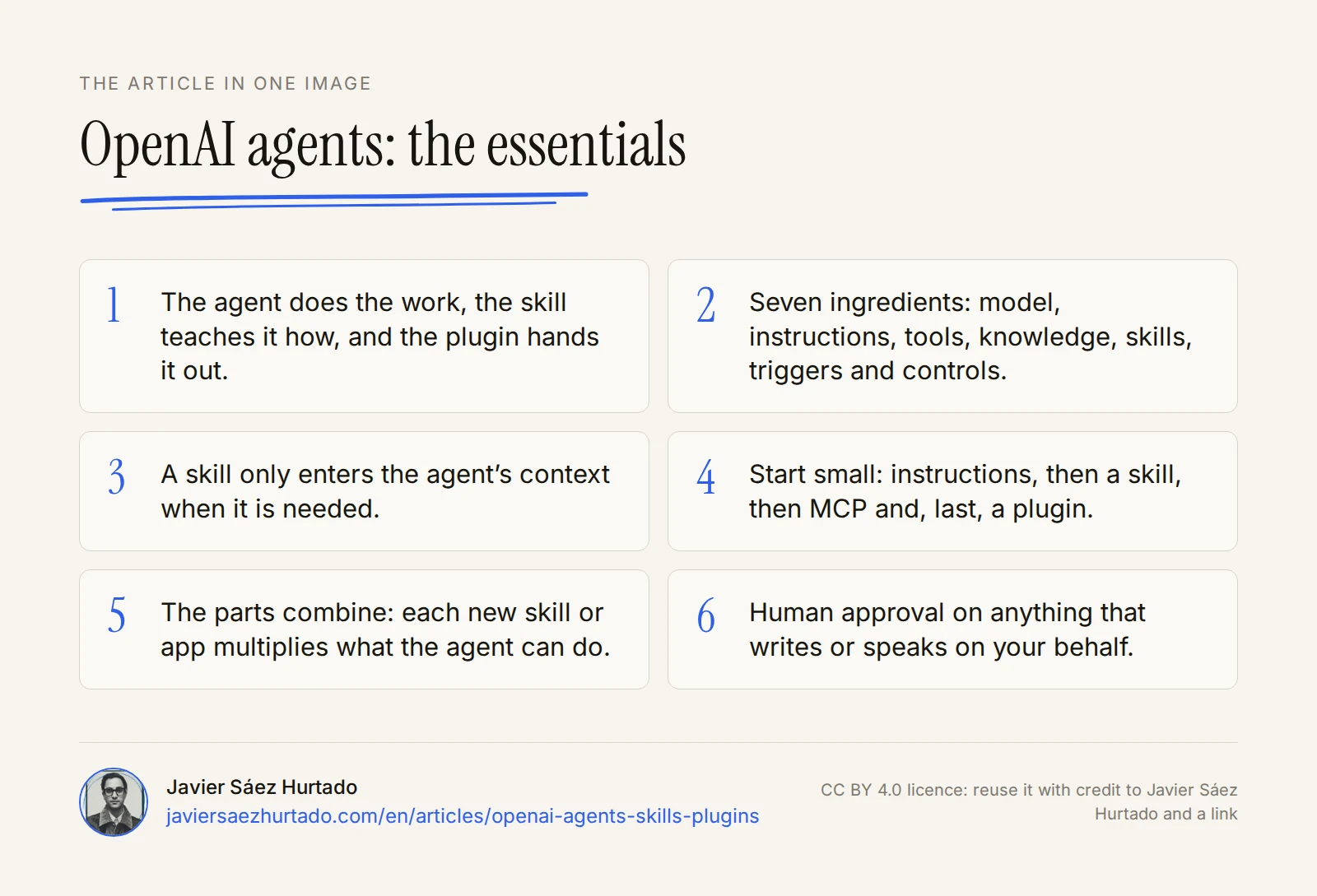
- An OpenAI agent is a model with instructions, tools, knowledge, skills, triggers and controls.
- A skill teaches how to do something and loads only when needed; a plugin packages skills and apps so they can be shared.
- Start with the smallest shape: instructions, then a skill, then MCP, and a plugin last.
- Agent Builder shuts down on 30 November 2026; the alternatives are the Agents SDK or workspace agents.
- Autonomy is designed: minimal tools, approvals on anything that writes, and a person on anything that speaks for you.
The article in one image
Frequently asked questions
What is the difference between an agent, a skill and a plugin?
The agent does the work: it pursues a goal in a loop using tools. A skill teaches it a procedure and only loads when needed. A plugin packages skills and apps so they can be installed and shared with a team.
Do I need a plugin to use a skill?
No. A skill works on its own in Codex, in the API and in ChatGPT, depending on the plan. You only need a plugin to distribute it together with apps or to share it with a team.
Do OpenAI skills work in Claude?
They use the same open standard, Agent Skills, originally developed by Anthropic, so a well-written skill can move between platforms with few changes. Connected apps and tools do not move as easily.
What replaces OpenAI Agent Builder?
Agent Builder shuts down on 30 November 2026. OpenAI recommends moving to the Agents SDK or to workspace agents in ChatGPT.
What are OpenAI dots?
They are always-on agents OpenAI announced at DevDay on 29 September 2026. Each dot works on its own cloud computer, connects to thousands of apps and, before acting, reviews anything that could affect your accounts. They come first to ChatGPT Pro and Business Premium.
Is it safe to install third-party plugins?
Only if you have checked what they bring. A plugin can include scripts and MCP servers with real permissions, and OpenAI warns that a malicious server can extract data from the model’s context. Require approval on anything that writes.
Sources
- OpenAI, A practical guide to building agents
- OpenAI Developers, Agents (Agents API, Agents SDK and Responses API)
- OpenAI, Introducing the Agents API (10 Sep 2026)
- OpenAI, Introducing workspace agents in ChatGPT (22 Apr 2026)
- OpenAI Developers, Agent Skills in Codex
- Agent Skills, open standard
- OpenAI Help Center, skills, apps and plugins in ChatGPT
- OpenAI Developers, plugin concepts
- OpenAI Developers, build a plugin
- OpenAI Developers, MCP and connectors
- OpenAI Developers, file search
- OpenAI Developers, guardrails and approvals
- OpenAI Help Center, scheduled tasks in ChatGPT
- OpenAI Help Center, company knowledge
- OpenAI, Introducing dots (29 Sep 2026)
- OpenAI, DevDay 2026 recap (29 Sep 2026)
- OpenAI Help Center, getting started with your dot
- OpenAI Developers, plugin extensions
- OpenAI Developers, deprecations