AI study guide · Module 5. Agents and automation
Lesson 3 of 5 in English
What is n8n? How it works, what it costs and your first workflow
n8n is a tool for automating tasks by connecting apps in visual workflows. Each workflow is a chain of steps, called nodes, that starts on its own when something happens: an email arrives, someone fills in a form, or a set time comes around. It can include AI steps and AI agents. You can install it free on your own server for internal use, or pay for n8n Cloud from $20 a month billed yearly. Here is how it works, what it costs and a first workflow you can build safely.
What is n8n?
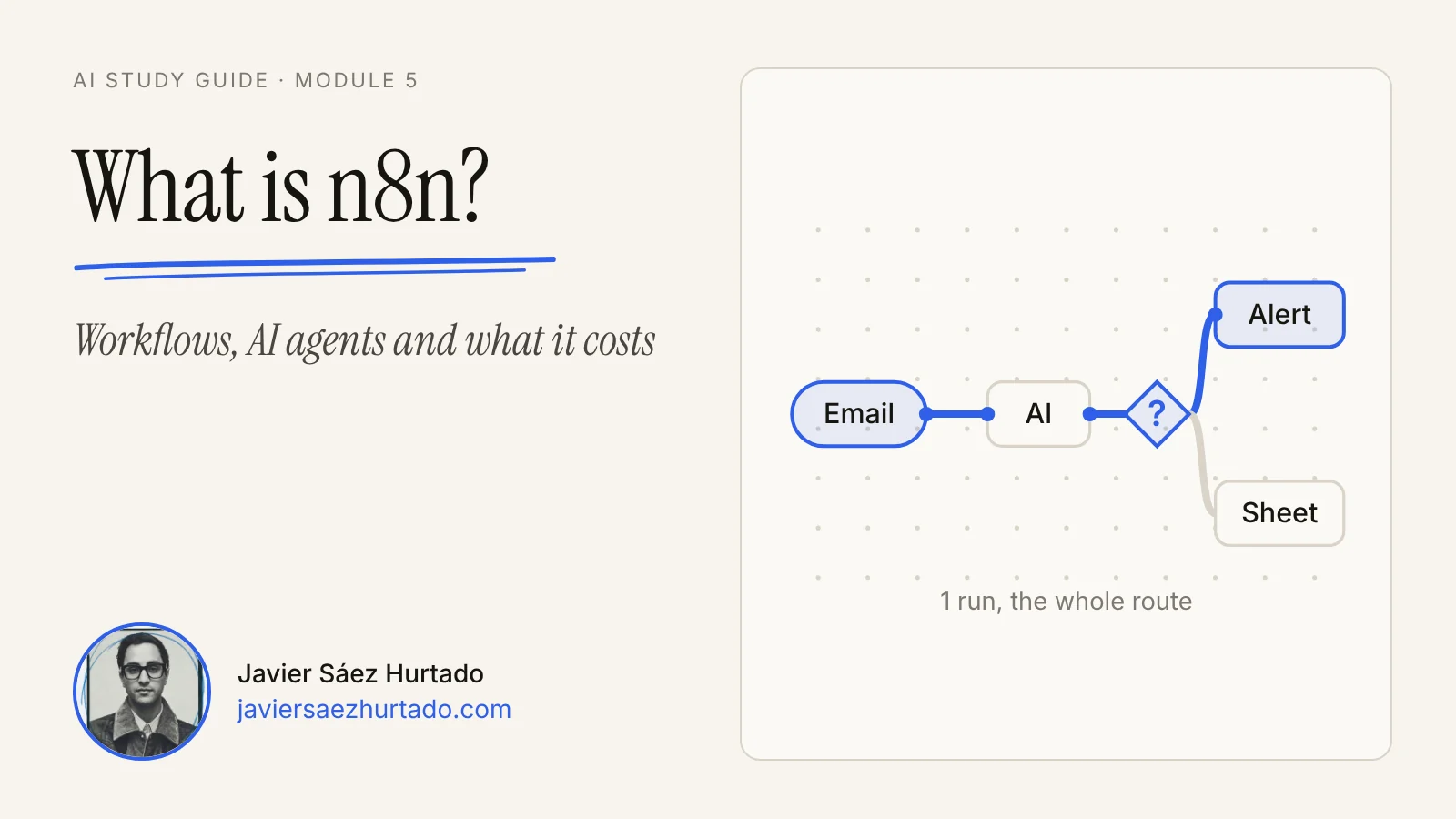
n8n is a tool for automating tasks by connecting apps in visual workflows. Each workflow is a chain of steps, called nodes, that starts on its own when something happens: an email arrives, someone fills in a form, or a set time comes around.
Its documentation defines it as “a fair-code licensed workflow automation tool that combines AI features with business process automation”. Put simply: it makes the apps you already use (email, a spreadsheet, a CRM, Slack or a web form) work together, so you do not have to copy and paste data from one to another.
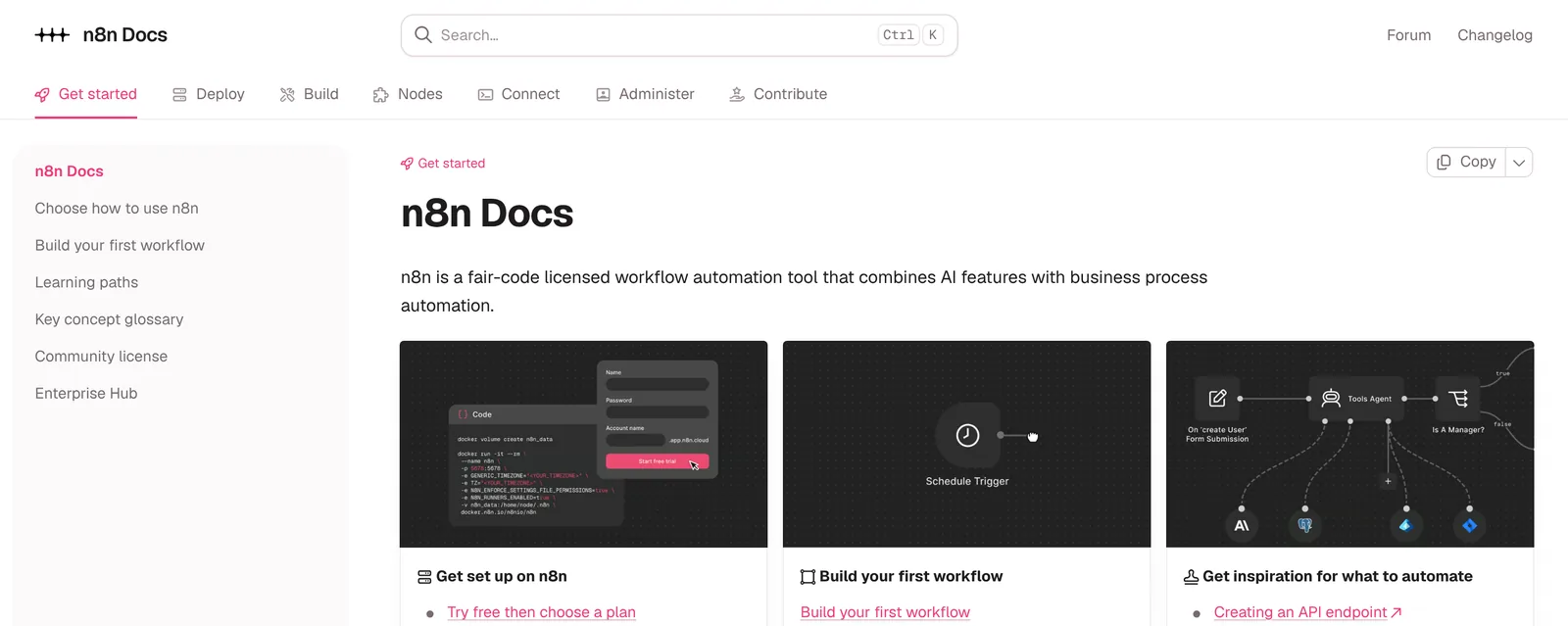
“Fair-code” means the code is public and you can install it on your own server, but under a license that limits commercial use: more on that in the pricing section. Its GitHub repository talks about more than a thousand integrations and thousands of ready-made workflow templates.
Behind it is a German company, n8n GmbH, based in Berlin and founded in 2019 by Jan Oberhauser. The name is short for “nodemation”, a mix of node and automation, and it is pronounced “n-eight-n”. In October 2025 it raised $180 million at a $2.5 billion valuation.
What is n8n used for?
n8n takes repetitive tasks off your plate when they always follow the same path: collect data in one place, change it and put it somewhere else, or tell someone when something happens. If you do a task the same way every day and can describe it step by step, you can probably automate it.
Some examples of what people automate with n8n:
- Forms and leads. Every time someone fills in your contact form, save their details in a spreadsheet or CRM and alert you in Slack or by email.
- Email. Sort incoming emails, summarize long ones or prepare a draft reply for you to review.
- Reports. Every Monday at 8:00, gather numbers from several tools and send you a summary.
- Documents. Read invoice PDFs that arrive by email, pull out the amount and the date, and log them in a table.
- AI support. An assistant that answers common questions in chat by looking up your documents.
- Connecting systems. Move data between two programs that do not talk to each other, through their APIs or a webhook.
There is a useful line here: n8n shines when the path is clear. If the task needs judgment at every step, you need an AI agent, and n8n can include one inside a workflow, as you will see below.
How does n8n work?
In n8n everything is a workflow: a set of connected nodes that automate a process. A trigger node starts it; the next nodes read data, make decisions or take actions, and each full run of the workflow is an execution.
These are the pieces, with the names its documentation uses:
- Nodes. The blocks you build with. Each one does one thing: read a spreadsheet, send an email, call an AI model or check a condition.
- Trigger. The node that starts the workflow when something happens: a form submitted, a new email, a set time or a webhook, which is a web address that receives notices from another app.
- Logic. Nodes like “If” or “Switch” decide which branch the workflow follows. An urgent form goes one way; a normal one, another.
- Credentials. They store your access to each service (your Google, Slack or OpenAI account) so the nodes can use them without you typing a password every time.
- Execution. One run of the workflow. n8n keeps a log of each one: what data entered each node, what came out and where it failed, if it failed.
- Expressions and code. If data does not come in the shape you need, you can transform it with expressions or a Code node in JavaScript or Python.
While you build, you test the workflow by hand with the execute button and see the result node by node. When it works, you publish it, and from then on it runs by itself every time its trigger fires. Only those automatic runs count toward the limits of the paid plans.
How is AI used in n8n?
AI fits into n8n in two ways: as one more step in the workflow (for example, summarizing or classifying a text) or as an AI agent that decides by itself which tools to use to finish a task. In both cases you choose the language model.
The simple step is a node that sends a prompt to a model, such as those from OpenAI, Anthropic or Google, and returns the answer to the workflow. The workflow stays fixed: the AI only does its part, like tagging an email as “urgent” or “normal”. On n8n Cloud you can even use AI models without bringing your own API keys.
The agent goes one step further. The documentation describes it as a system that uses a large language model to understand a request and decide which actions to take. In n8n you build it with the “AI Agent” node, connected to a chat model, at least one tool (check the calendar, search a database, call another workflow) and, optionally, memory so it remembers the conversation.
Two details worth knowing:
- MCP in both directions. n8n can use tools from external MCP servers through its client node, and it can also become an MCP server with the “MCP Server Trigger” node, so assistants like Claude can use your workflows as tools. MCP is the open standard for connecting models to apps.
- Human approval before acting. You can require a person to approve a tool before the agent uses it. The workflow pauses, you get the request with what the agent wants to do (in chat, Slack, Teams, Telegram, WhatsApp or email) and, if you reject it, the action is cancelled and the agent is told.
Is n8n free? How much does it cost?
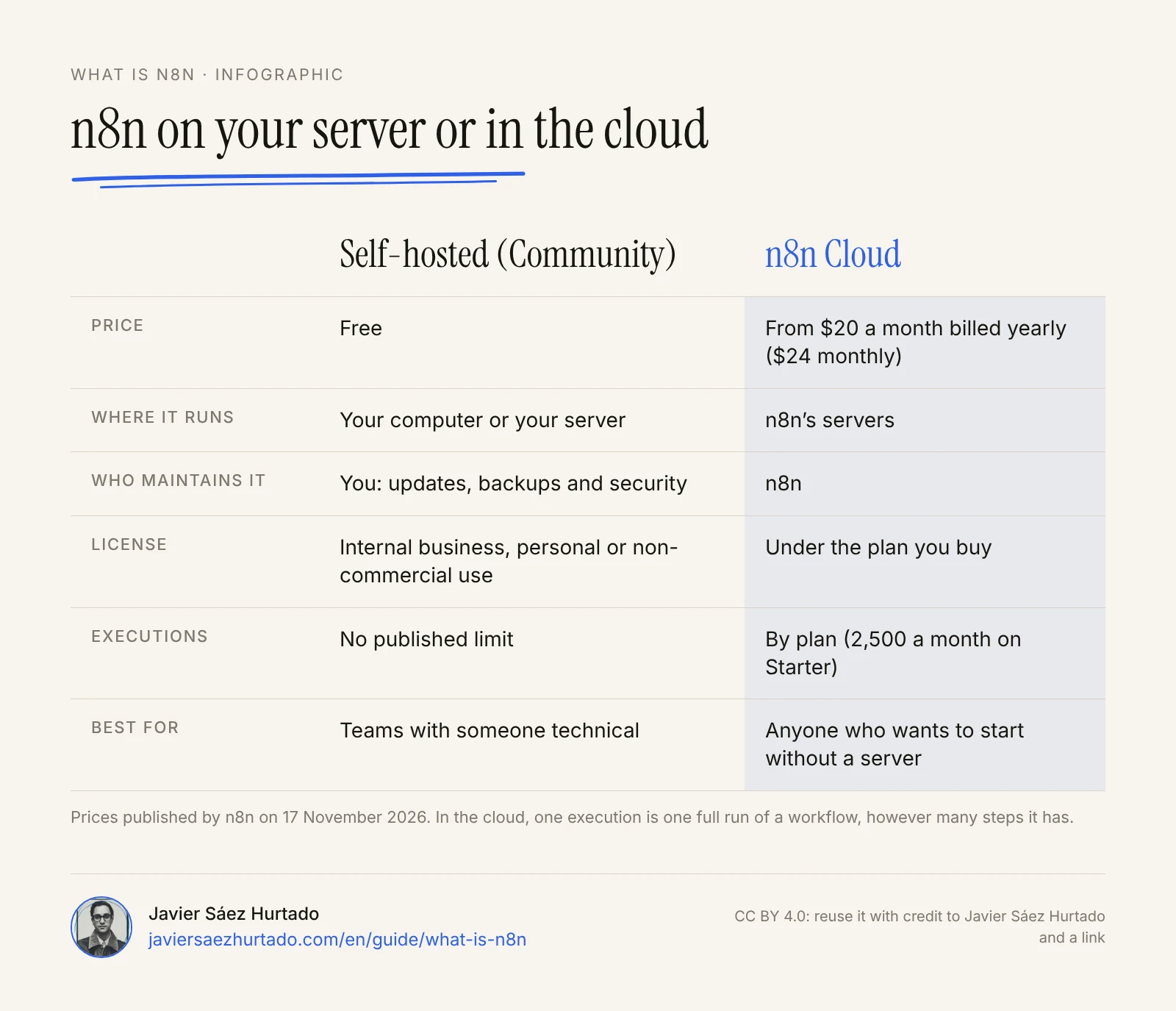
n8n has a free edition, Community, that you install on your own computer or server, and a paid cloud version, n8n Cloud. The free one has no published execution limit, but you have to maintain it, and its license only allows internal, personal or non-commercial use.
The license, called the Sustainable Use License, says you may use or modify the software “only for your own internal business purposes or for non-commercial or personal use”. Automating your own company’s processes fits. Reselling n8n as a service to others, or letting your customers connect their accounts and build workflows in it, does not: that needs a commercial license. The Community edition also lacks some team features, such as sharing workflows and credentials, projects, single sign-on and version control with Git. Registering it with your email (still free) gives you folders, debugging in the editor and custom execution data.
In the cloud, these are the prices n8n published on 17 November 2026, in US dollars:
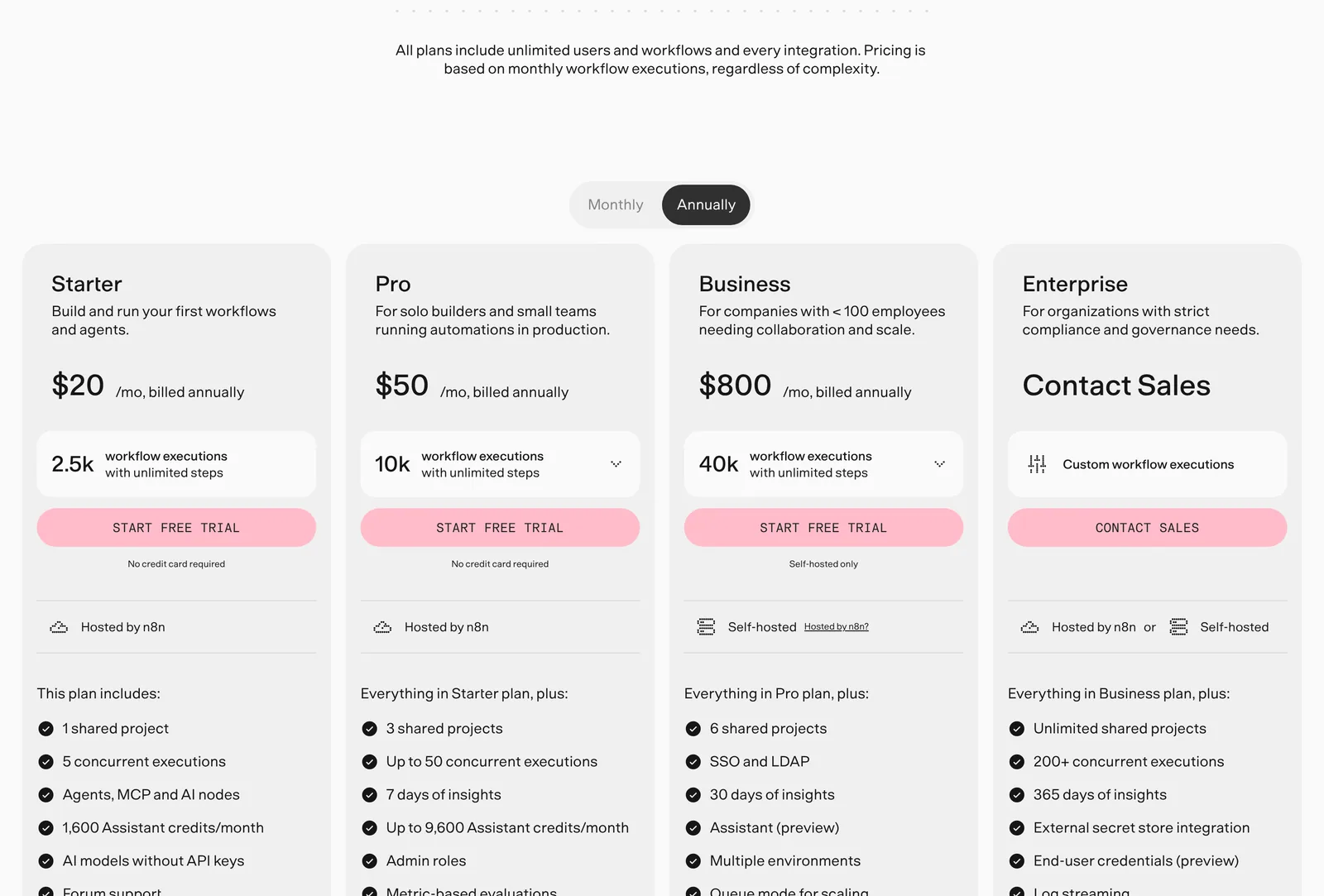
n8n plans in US dollars
n8n.io/pricing, checked on 17 November 2026
| Plan | Billed yearly | Billed monthly | Executions a month | Where it runs |
|---|---|---|---|---|
| Starter | $20 a month | $24 a month | 2,500 | n8n Cloud |
| Pro | $50 a month | $60 a month | 10,000 | n8n Cloud |
| Business | $800 a month | $960 a month | 40,000 | Self-hosted, with company features |
| Enterprise | Custom | Custom | Custom | Cloud or self-hosted |
| Community | Free | Free | No published limit | Self-hosted |
What matters is how it counts: for n8n, an execution is one full run of the workflow, no matter how many steps it has or how much data it handles. Every plan includes unlimited users, workflows and integrations, and the cloud has a free trial with no credit card. Companies with under 20 employees can apply for a startup plan with 50% off Business.
How is n8n different from Zapier and Make?
The three tools do the same basic thing (connect apps with a trigger and a series of actions), but they differ in where they run and how they charge. n8n can run on your own server and charges per full execution; Zapier and Make run only in their cloud and charge per step.
- Zapier charges by tasks: every action that runs successfully counts as a task (the trigger does not). A workflow with a trigger and nine actions uses nine tasks every time it runs. It is the easiest to start with.
- Make charges in credits: by default, each module operation uses one credit, and some AI modules use more.
- n8n charges one execution per run, however many steps it has, and it is the only one of the three you can host yourself.
That is why n8n is usually cheaper for long workflows and gives more control over where your data lives, in exchange for a slightly steeper learning curve.
Example: your first n8n workflow
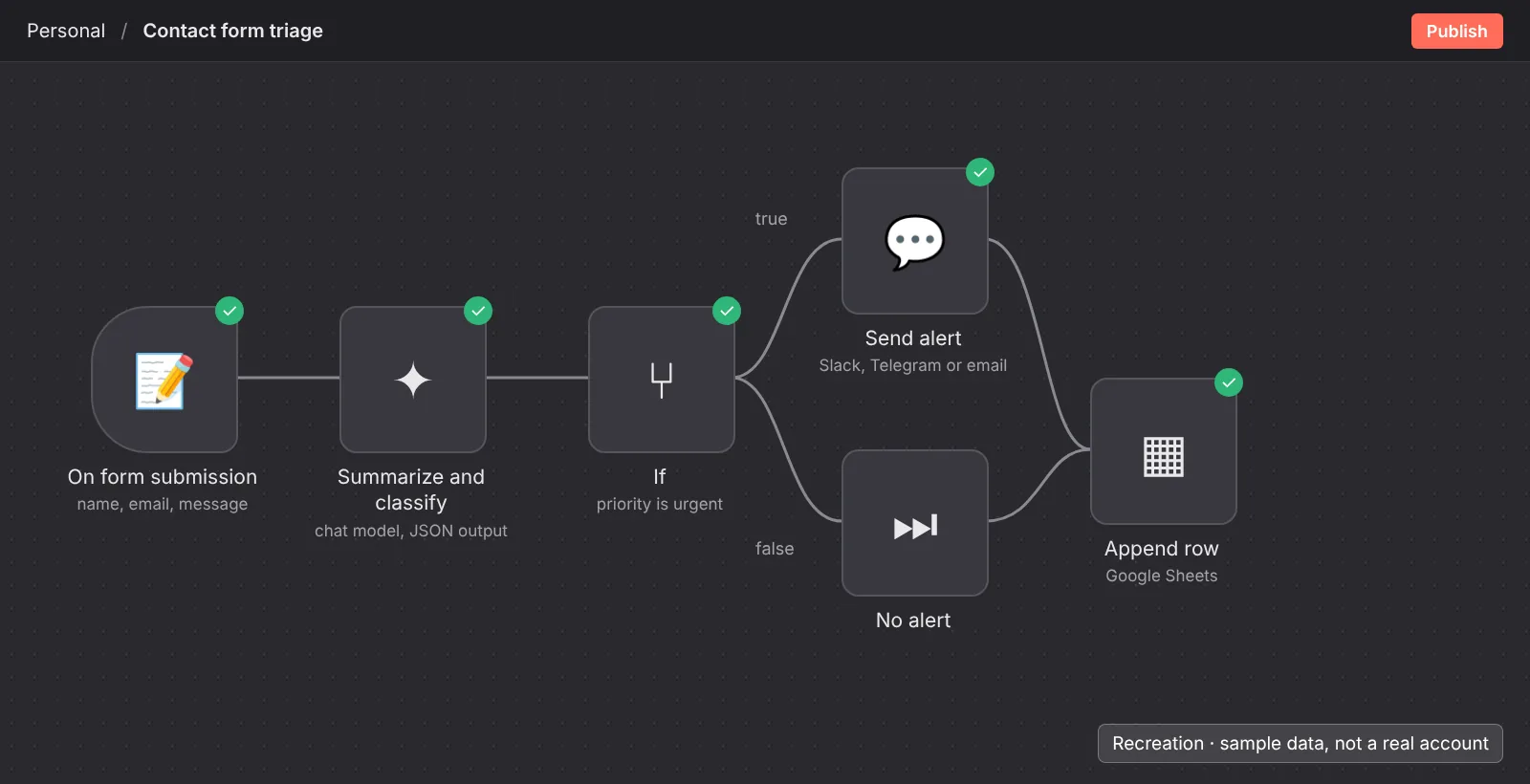
A good first workflow is one that reads and alerts you, without sending anything to anyone on your behalf: if it fails, nothing bad happens. This one collects contact form messages, uses AI to summarize and classify them, alerts you to the urgent ones and logs all of them in a spreadsheet.
- Open n8n. The fastest way is the n8n Cloud free trial. If you prefer your own computer, the documentation explains how to install it with Docker.
- Add the trigger. Add n8n’s form trigger with three fields: name, email and message. n8n gives you a web address to test it.
- Add the AI step. Connect a language model node (OpenAI, Anthropic or the one you use) with your credential and a prompt like this:
Read this message from a contact form.
1. Summarize it in one sentence.
2. Classify it as "urgent" (a problem with an order or a payment,
   or they ask for an answer today) or "normal" (everything else).
3. Do not make up anything that is not in the message.
Reply only with JSON: {"summary": "...", "priority": "urgent" | "normal"}
Message: {{ $json.message }}
- Choose the path. Add an “If” node that checks whether the priority is “urgent”.
- Urgent branch: an alert to you in Slack, Telegram or by email, with the name, the summary and a link to the original message.
- Both branches: a new row in a spreadsheet with the date, name, email, summary and priority.
- Test with made-up messages. Send three: one urgent, one normal and one ambiguous. Check what went into and came out of each node. When it works, publish it.
Notice what this workflow does not do: it does not reply to the customer. After a week of running well, the next step can be preparing a draft reply that you approve before it goes out.
Common mistakes when starting with n8n
The most common mistakes are not technical: they are about scope and permissions. People build a workflow that is too big, give it more access than it needs, or nobody looks when it fails.
- Starting with the most ambitious workflow. A twenty-node workflow that touches five apps is hard to debug. Three small workflows that each do one thing are better.
- Credentials with too much access. If the workflow only needs to read a spreadsheet, do not give it an account that can delete your whole Drive.
- Letting AI act without review. A model can misclassify a message or invent a detail. Whatever gets sent, published or paid should pass through your hands, at least at first.
- Not checking failed executions. A workflow that fails silently is worse than none. Check the executions log and set an alert for failures.
- Self-hosting with no one to maintain it. Installing it on your server is free, but updates, backups and server security become your job.
- Reading the license too loosely. Using n8n for your own business is fine; building a product where your customers create workflows in it is not, without a commercial license.
My take
I would start with a workflow that only reads and alerts, like the example, and let it run for a week, checking every execution before giving it more responsibility. It is the cheapest way to discover the odd cases: the empty form, the message in another language, the customer who writes twice.
I would keep human approval on anything that writes or speaks for me, and I would not let a workflow delete, pay or message customers without me seeing it first. I would pick the cloud if I had no one to maintain a server, and I would give each workflow credentials with just the access it needs. Automation saves time when it is predictable; when it is not, the time you save goes into fixing what it did without looking.
Skills and workflows solve different problems: a skill teaches an assistant how to do a task when you ask, and an n8n workflow runs a task on its own when something happens. I explain skills in Claude Skills.
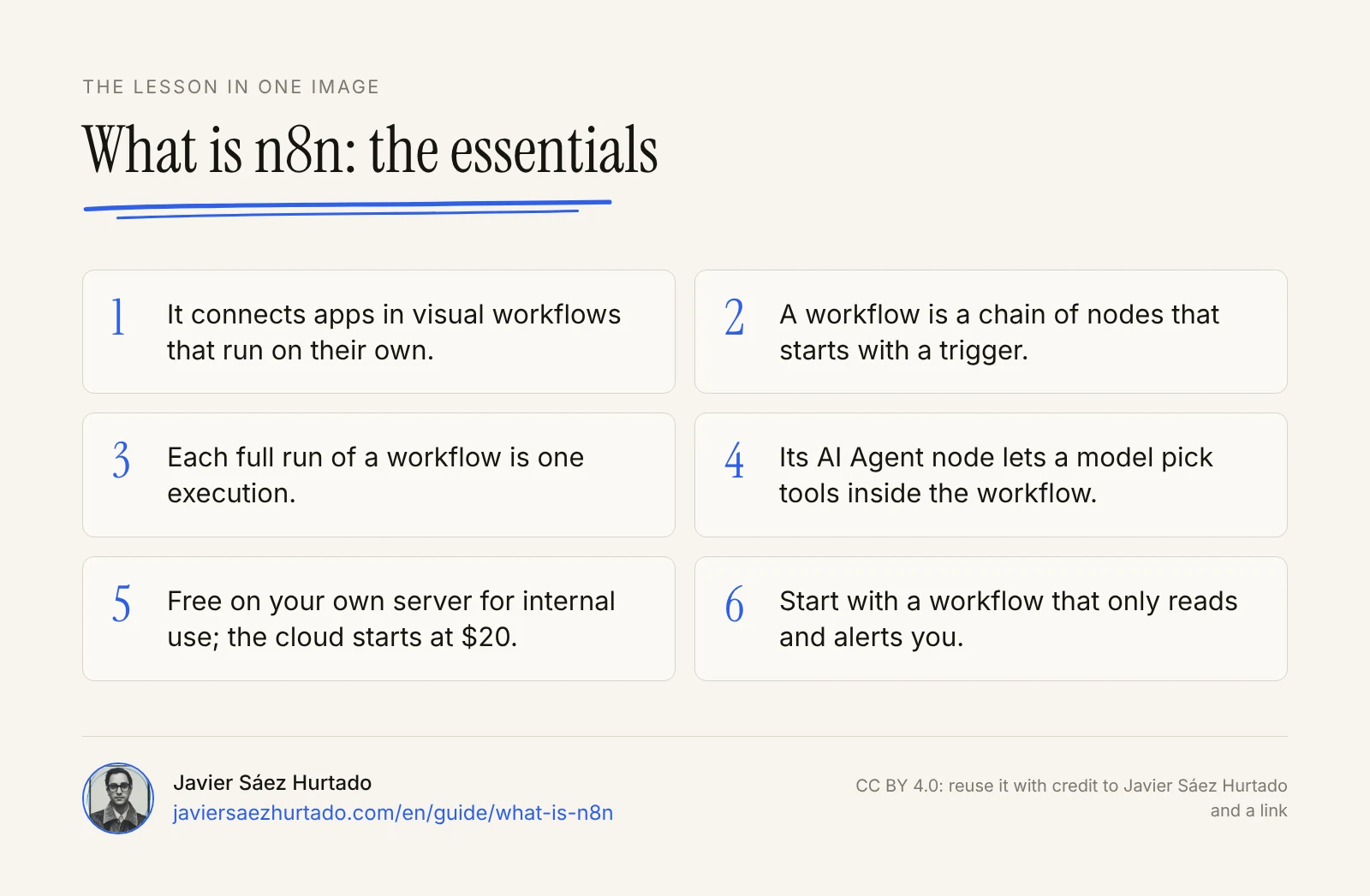
The lesson in one image
FAQ
What is n8n used for?
n8n is used to automate repetitive tasks that follow the same path: saving form entries to a spreadsheet or CRM, sorting and summarizing emails, building a weekly report from several tools, reading invoice PDFs, or running an AI assistant that answers from your documents. If you can describe a task step by step, you can probably automate it with n8n.
Is n8n free?
The Community edition is free: you install it on your own computer or server, with no published limit on executions, but you maintain it, and its Sustainable Use License only allows internal business, personal or non-commercial use. n8n Cloud is paid, from $20 a month billed yearly ($24 billed monthly), and has a free trial with no credit card.
How much does n8n cost?
On 17 November 2026, billed yearly: Starter $20 a month with 2,500 workflow executions, Pro $50 with 10,000, Business $800 with 40,000 (self-hosted, with company features) and Enterprise at a custom price. Billed monthly: $24, $60 and $960. Every plan includes unlimited users, workflows and integrations.
Is n8n better than Zapier?
It depends. Zapier is easier to start with and only runs in its cloud; it charges per task, so every successful action counts. n8n has a steeper learning curve, can run on your own server and charges one execution per full run, however many steps it has, so it is usually cheaper for long workflows and gives more control over where your data lives.
Does n8n need coding?
No. You build workflows by connecting nodes on a visual canvas. Coding helps when data does not come in the shape you need: then you can use expressions or a Code node in JavaScript or Python.
What does n8n stand for?
n8n is short for “nodemation”, a mix of node and automation. It is pronounced “n-eight-n”. The company behind it, n8n GmbH, is based in Berlin and was founded in 2019 by Jan Oberhauser.
Can n8n run AI agents?
Yes. The AI Agent node connects a chat model, at least one tool and, optionally, memory, and lets the model decide which tools to use for a request. n8n can also use tools from external MCP servers and expose your own workflows as an MCP server, and you can require a person to approve a tool before the agent uses it.
Sources
- n8n Docs, home page (checked on 17 Nov 2026)
- n8n Docs, Key concept glossary
- n8n Docs, Understand executions
- n8n Docs, AI Agent node
- n8n Docs, Human-in-the-loop for tools
- n8n Docs, MCP Server Trigger
- n8n Docs, Compare editions (checked on 17 Nov 2026)
- n8n Docs, Sustainable Use License
- n8n, Pricing (checked from the US on 17 Nov 2026)
- n8n on GitHub, project README
- n8n Blog, n8n raises $180m (9 Oct 2025)
- Zapier Help Center, How is task usage measured in Zapier?
- Make Help Center, Credits